01
Flexible Entry Engine
Choose trend following, reverse entries, EMA crossings or layering patterns to suit your symbol and timeframe.
Dekoq brings together technical entry signals, EMA/RSI/Bollinger Bands filters, basket layering, news filters, News Momentum Sniper, break even, trailing stops and a control dashboard in one MT5 system.



Configure entries, filters, layers, exits, news handling and notifications independently, with clear controls for each module.
Choose trend following, reverse entries, EMA crossings or layering patterns to suit your symbol and timeframe.
Manage layers, spacing, lot sizes, basket targets, loss limits and recovery with rules visible in the dashboard.
EMA, RSI, Bollinger Bands, multi-timeframe trends, candle gaps and entry zones add context to entry signals.
Read the MT5 calendar, select Low/Medium/High impact events, filter currencies and pause entries around volatile releases.
Place Buy Stop and Sell Stop orders before news releases, with expiration, opposite-order removal and cooldown controls.
ATR, points, pips and BB-based TP/SL, break even, trailing stops, spread limits and MT5/Telegram/WhatsApp notifications.
Combine up to five EMAs, RSI, Stochastic, Bollinger Bands, BBMA sequences, Support & Resistance and HTF Fibonacci to suit your strategy.
Use separate timeframes for trends, setups, OHLC ranges, SNR, Fibonacci confidence, EMA, RSI, Stochastic and Bollinger Bands.
Balance or equity-based compounding, daily profit targets in percent or account currency, daily loss limits, equity protection and total lot limits.
Configure spike responses, continuation, reversals, lot multipliers, loss recovery, basket profit locks and next-basket lot resets.
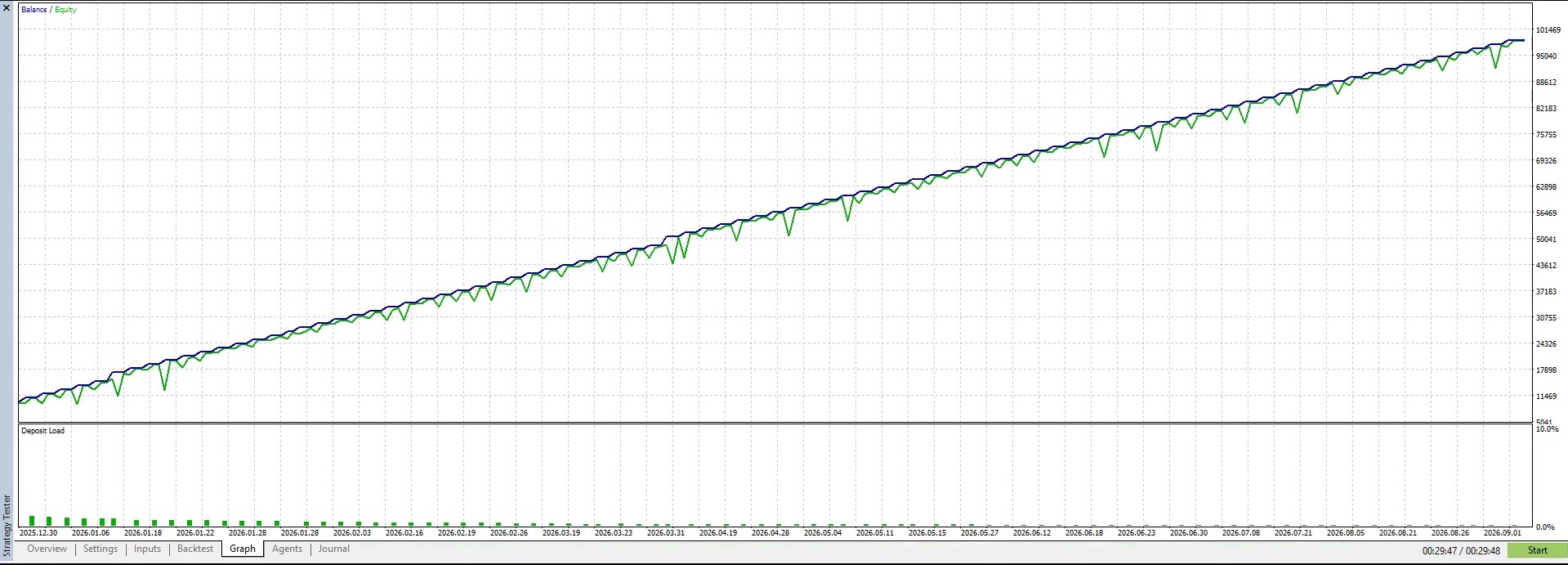
Watch a Dekoq test in the MT5 Strategy Tester, including equity movement, entries, layering and responses to market conditions.
Backtests help explain strategy behavior. Live results can differ due to spreads, slippage, broker execution, leverage and market conditions.
Dekoq does not guarantee profits. Backtest results do not guarantee future performance. Trading may result in the loss of your entire capital. Read the Risk Disclosure.
Adapt Dekoq to your timeframes, filters and risk profile. Configure scalping, intraday, news momentum or light swing trading separately.
For M1/M5 setups with shorter targets, strict filters, spread protection, break even, trailing stops and controlled layering.
For M15/M30/H1 setups that follow intraday moves with trend filters, multi-timeframe confirmation and adjustable risk settings.
Target major data releases with pre-news Buy Stop and Sell Stop orders, expiration, opposite-order removal and cooldowns.
For H1/H4 setups with smaller lots, multi-timeframe filters, ATR/BB targets and longer holding periods.
Configure technical entries, filters, news protection and News Momentum independently. Focus on scalping, intraday moves, avoiding news or trading major releases.
Check trends, candles, spreads, timeframes, EMA, RSI, Stochastic, Bollinger Bands, SNR, Fibonacci and trading sessions before entry.
Technical filters, SNR/Fibonacci signals and news protection can block unsupported entries. Configure each module for your strategy.
The main engine opens positions according to its rules, while News Momentum can place Buy Stop and Sell Stop orders ahead of major releases.
Basket targets, loss limits, layering, compounding, break even, trailing stops, pending order expiration and notifications follow your settings.
Dekoq provides risk controls for technical trading and news strategies, going beyond opening positions.
Pause entries when spreads widen, including during volatile news releases.
Use the MT5 calendar, impact levels, currency filters, historical news CSVs and actual-entry mode to configure event responses.
Configure break even and trailing stops to protect gains as a position moves in your favor.
This example shows two approaches: technical entries with filters, and News Momentum for selected calendar events.
Trade: true
Layer Type: FOLLOW
Enable EMA Filter: true
Enable RSI Filter: true
Enable Bollinger Bands Filter: true
Break Even Start: 500 points
Trailing Start: 1000 points

News Filter: true
News Impact: Medium + High
Close / Stop during news window: as configured
News Momentum: true
News Momentum Timeframe: M1,M5
Lot Size News: 0.01
Entry Layer News Momentum: 1
News Type High: true
Timing Buy Sell Stop: 60
Buy Sell Stop: Points
Buy Sell Stop Points: 100
TP Type News: ATR
SL Type News: ATR
TP ATR News: 4
SL ATR News: 1
Break Even News: true
Break Even Start Points News: 500
Break Even Lock Points News: 50
Trailing Stop News: true
Trailing Start Points News: 1000
Trailing Distance Points News: 500
Explore the EA with a trial, continue with monthly access or choose a lifetime license.
You are purchasing a software license, not a promised investment return. Profit is not guaranteed. Review the trading risks before requesting a trial or purchasing. Terms & Conditions · Risk Disclosure.
7 calendar days
One-time trial, for 1 MT5 Account
30 calendar days
30-days license, for 1 MT5 Account
1 calendar days
Lifetime license, for 1 MT5 Account
No. Trading involves risks from spreads, slippage, reversals and broker conditions. The EA assists execution, filtering and risk management; it does not eliminate risk.
No. Dekoq includes technical trading, filters, layering, TP/SL, break even, trailing stops and a dashboard. News Momentum is an additional module that can be enabled independently.
Yes. The main engine uses the Trade input, while News Momentum has its own switch.
Yes. EMA, RSI, Stochastic, Bollinger Bands, SNR, OHLC, Fibonacci, Spike and News Momentum can use separate timeframes depending on the module.
Yes, with the required API credentials configured and WebRequest URLs allowed in the MT5 terminal.
Get the EA, learn the settings and forward-test your setup. Choose technical entries, filters and News Momentum settings that suit your broker and symbol.
Forex, gold and CFD trading involve significant risk. Use small lots and test on a demo account first.